
How to Choose the Best Gaming Monitor for PC Gaming Based on Refresh Rate, Resolution, and Response Time

Choosing the right Gaming monitor is one of the most important decisions for any PC gamer. A powerful system can run modern games smoothly, but without a high-quality display, you may not experience the full performance your gaming setup can deliver. Whether you play competitive shooters, open-world RPGs, or fast-paced battle royale games, the monitor you use can significantly impact your gameplay.
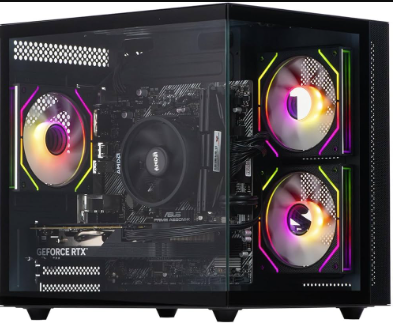
Many gamers invest in a high-performance Fortnite gaming PC to achieve better frame rates and smoother gameplay. However, pairing that PC with the wrong monitor can limit performance and reduce the competitive advantage you expect. To get the best experience, it’s essential to understand the key monitor features that affect gaming performance, including refresh rate, resolution, and response time.
This guide will help you understand how these factors work and how to choose the best Gaming monitor for your PC gaming setup.
Why a Gaming Monitor Matters for PC Gaming
A standard office monitor may display images, but a dedicated Gaming monitor is designed to handle fast motion, high frame rates, and demanding graphics. Gaming monitors provide smoother visuals, reduced motion blur, and better responsiveness compared to regular displays.
If you own a powerful fortnite gaming pc, your system may be capable of producing high frame rates. Without a gaming monitor that supports those frame rates, you won’t fully benefit from your PC’s capabilities. A good gaming monitor ensures that the performance from your GPU and CPU is accurately displayed on screen.
For competitive games like Fortnite, Call of Duty, or Valorant, even a small improvement in visual smoothness and reaction time can make a difference.
Understanding Refresh Rate
One of the most important features of a Gaming monitor is the refresh rate. Refresh rate refers to how many times per second the monitor updates the image on the screen. It is measured in Hertz (Hz).
Common refresh rates include:
- 60Hz – Standard for regular monitors
- 120Hz – Smoother motion compared to standard displays
- 144Hz – Popular choice for gamers
- 165Hz / 180Hz – Ideal for competitive gaming
- 240Hz and above – Designed for professional esports players
If you are using a fortnite gaming pc, a higher refresh rate monitor can make gameplay much smoother. Fast-paced games benefit significantly from higher refresh rates because they reduce motion blur and make movement appear more fluid.
For example, a 144Hz or 165Hz Gaming monitor is often considered the sweet spot for gamers. It offers smooth gameplay without requiring extremely expensive hardware.
See also: A Practical Guide to Customer Journey Analytics Tools
Choosing the Right Resolution
Resolution determines how sharp and detailed the image appears on your monitor. The higher the resolution, the more pixels are displayed on the screen.
Common gaming monitor resolutions include:
1080p (Full HD)
1080p monitors are still very popular among gamers. They provide excellent performance and allow gaming PCs to achieve high frame rates easily.
For players using a fortnite gaming pc, a 1080p Gaming monitor with a high refresh rate is often the best option for competitive gameplay.
1440p (Quad HD)
1440p offers a higher level of detail compared to 1080p. Many gamers prefer this resolution because it balances visual quality and performance.
A 1440p Gaming monitor paired with a powerful graphics card provides sharper visuals while still maintaining high frame rates.
4K (Ultra HD)
4K monitors deliver extremely detailed graphics and stunning image clarity. However, running games at 4K requires a powerful gaming PC.
While a fortnite gaming pc can run Fortnite at high settings, reaching very high frame rates in 4K may require top-tier hardware.
Response Time and Why It Matters
Response time measures how quickly a pixel changes from one color to another. It is usually measured in milliseconds (ms).
For gaming monitors, common response times include:
- 5ms – Acceptable for casual gaming
- 3ms – Good performance
- 1ms – Ideal for competitive gaming
A lower response time reduces motion blur and ghosting, which can occur when fast-moving objects appear blurry on screen.
For competitive games like Fortnite, a 1ms Gaming monitor can make fast movements clearer and more responsive. This is especially useful when playing on a fortnite gaming pc that delivers high frame rates.
Panel Types in Gaming Monitors
Another important factor when choosing a Gaming monitor is the panel technology. The panel type affects color quality, viewing angles, and response time.
TN Panels
TN panels are known for their extremely fast response times and high refresh rates. They are often used in esports gaming monitors.
However, they typically have weaker color accuracy and viewing angles compared to other panel types.
IPS Panels
IPS panels offer excellent color accuracy and wide viewing angles. Many modern gaming monitors use IPS technology because it provides both good image quality and strong gaming performance.
For gamers who want vibrant visuals and smooth gameplay, an IPS Gaming monitor is a great option.
VA Panels
VA panels offer deeper contrast levels and better black levels. They are commonly used in curved gaming monitors and immersive displays.
While response times may not always be as fast as TN panels, many VA gaming monitors still perform very well for gaming.
Adaptive Sync Technology
Modern Gaming monitors often include adaptive sync technologies such as FreeSync or G-Sync. These technologies synchronize the monitor’s refresh rate with the graphics card to reduce screen tearing.
Screen tearing happens when the monitor displays frames at a different rate than the GPU produces them. Adaptive sync helps eliminate this issue and creates smoother gameplay.
If you own a fortnite gaming pc, choosing a gaming monitor with adaptive sync can improve overall visual performance.
Choosing the Right Monitor Size
Monitor size also affects your gaming experience. Popular gaming monitor sizes include:
- 24 inches – Ideal for competitive gaming
- 27 inches – Great balance between immersion and performance
- 32 inches or larger – Best for immersive gaming setups
Many competitive players prefer 24-inch monitors because they keep the entire screen within the player’s field of view. On the other hand, larger monitors create a more cinematic gaming experience.
Curved vs Flat Gaming Monitors
Curved gaming monitors are designed to provide a more immersive viewing experience. The curved design wraps the screen slightly around your field of vision.
Flat monitors are still the most common and are often preferred for competitive gaming because they provide consistent viewing angles.
Both types can work well with a fortnite gaming pc, so the choice mainly depends on personal preference.
Additional Features to Look For
When choosing the best Gaming monitor, consider additional features such as:
- HDR support for better color and contrast
- High brightness levels for clearer visuals
- Adjustable stands for comfortable positioning
- Multiple ports including HDMI and DisplayPort
- Blue light filters to reduce eye strain during long gaming sessions
These features can improve comfort and enhance the overall gaming experience.
Upgrade Your Setup With the Right Gaming Monitor
Choosing the right Gaming monitor can make a huge difference in your overall gaming experience. From smoother visuals to faster reaction times, the right display helps you get the most out of your gaming setup. By understanding refresh rate, resolution, and response time, you can select a monitor that perfectly matches your gaming needs.
If you already have a powerful fortnite gaming pc, pairing it with a high-performance gaming monitor will unlock its full potential. A balanced setup ensures smoother gameplay, sharper graphics, and a more immersive gaming environment.
Ready to upgrade your gaming experience? Explore high-performance gaming systems and accessories at Veno Scorp and find the perfect setup designed for competitive and casual gamers alike. Whether you’re building a new gaming rig or improving your current setup, the right equipment can take your gameplay to the next level.
